Plug-ins for Windows and Mac. Pick one to see it in action.
 Lantern NewAn instrument that plays a picture£24
 TremorA tremolo you shape like an EQ£19
 SedimentA reverb you shape like an EQ£19
 StrataA delay that only echoes the frequencies you chooseFree
 GroanA kick drum synth£19
 MonoOne button to hear your mix in monoFree
Sediment and Tremor together: £32 for both. How the plugins are made
An instrument that plays a picture.
Drop in a picture and a line moves across it. NOTES turns the bright places under the line into notes in a key, played by Lantern's own synth and sent out as MIDI. SPECTRUM plays the slice under the line as a spectrum, so the picture shows up on a spectrogram. Use either, or both.
Lantern is £24. You download it straight away for Windows and Mac, and you get future updates free.
On sale today from 6pm · £24For Reaper, Ableton Live, Cubase, Studio One, FL Studio, Bitwig and other VST3 hosts.
On sale today from 6pm · £24Audio Unit instrument for Logic Pro and GarageBand, plus a VST3 for other hosts. Signed and notarised by Apple.
On sale today from 6pm · £24One purchase includes both versions. MIDI out works in VST3 hosts (Logic doesn't take MIDI from an instrument). Read the Lantern manual (PDF). It's also inside both downloads.
A tremolo you shape like an EQ.
Draw up to five bands to pick out parts of the sound. Each band rises and falls with its own wave, so you can pulse just the bass, or just the top. One band over the whole range is a plain tremolo.
Tremor is £19. You download it straight away for Windows and Mac, and you get future updates free. Sediment and Tremor together are £32.
Buy Tremor · £19 Buy both · £32For Reaper, Ableton Live, Cubase, Studio One, FL Studio, Bitwig and other VST3 hosts.
Buy Tremor · £19Audio Unit for Logic Pro and GarageBand, plus a VST3 for other hosts. Signed and notarised by Apple.
Buy Tremor · £19One purchase includes both versions. Read the Tremor manual (PDF). It's also inside both downloads.
A reverb you shape like an EQ.
Draw up to five bands on the curve to pick out parts of the sound. Each band goes to its own reverb, with its own size, decay and pre-delay, and the dry sound is never filtered.
Sediment is £19. You download it straight away for Windows and Mac, and you get future updates free. Sediment and Tremor together are £32.
Buy Sediment · £19 Buy both · £32For Reaper, Ableton Live, Cubase, Studio One, FL Studio, Bitwig and other VST3 hosts.
Buy Sediment · £19Audio Unit for Logic Pro and GarageBand, plus a VST3 for other hosts. Signed and notarised by Apple.
Buy Sediment · £19One purchase includes both versions. Read the Sediment manual (PDF). It's also inside both downloads.
A delay that only echoes the frequencies you choose.
Draw up to five bands on the curve to pick out parts of the sound. Each band gets its own echo time, feedback and pan, and everything else stays dry. Your original signal is never filtered.
Strata, Mono and Alloy are free. If they're useful to you, donations are gratefully received.
DonateFor Reaper, Ableton Live, Cubase, Studio One, FL Studio, Bitwig and other VST3 hosts.
Download for WindowsAudio Unit for Logic Pro and GarageBand, plus a VST3 for other hosts. Signed and notarised by Apple.
Download for MacRead the Strata manual (PDF). It's also inside both downloads.
Strata.vst3 folder into your VST3 folder. The usual one is C:\Program Files\Common Files\VST3~/Library/Audio/Plug-Ins/Components, then drag Strata.component in. For VST3 hosts, put Strata.vst3 in ~/Library/Audio/Plug-Ins/VST3.A kick drum synth.
Each note is a pitched body that glides from a start pitch down to an end pitch, with a click and a thump on the front. Drag the S and E handles on the display to set the pitches and the glide, then add drive, crackle and rattle for texture.
Groan is £19. You download it straight away for Windows and Mac, and you get future updates free.
Buy Groan · £19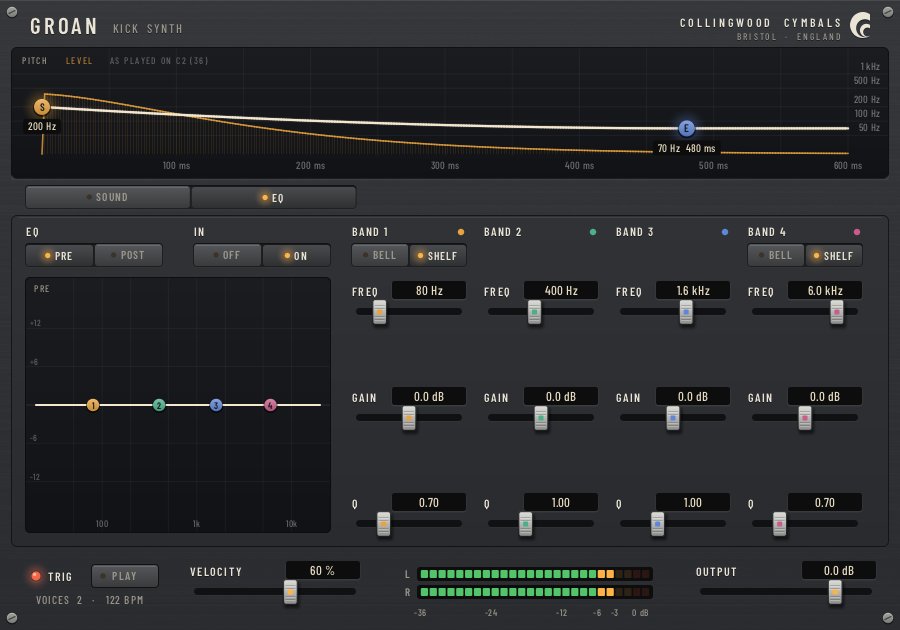
For Reaper, Ableton Live, Cubase, Studio One, FL Studio, Bitwig and other VST3 hosts.
Buy Groan · £19Audio Unit for Logic Pro and GarageBand, plus a VST3 for other hosts. Signed and notarised by Apple.
Buy Groan · £19One purchase includes both versions. Read the Groan manual (PDF). It's also inside both downloads.
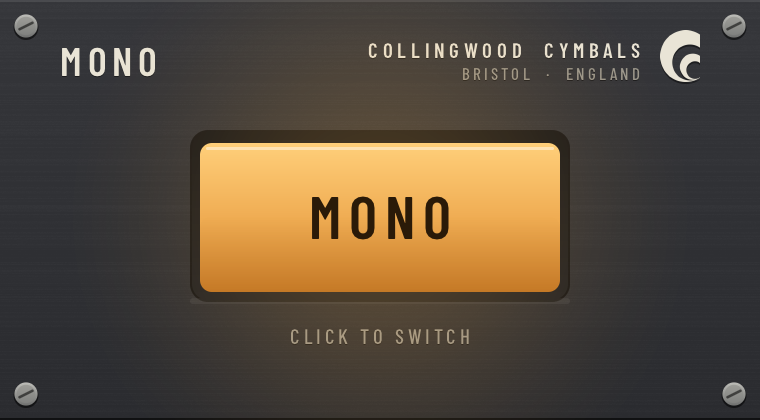
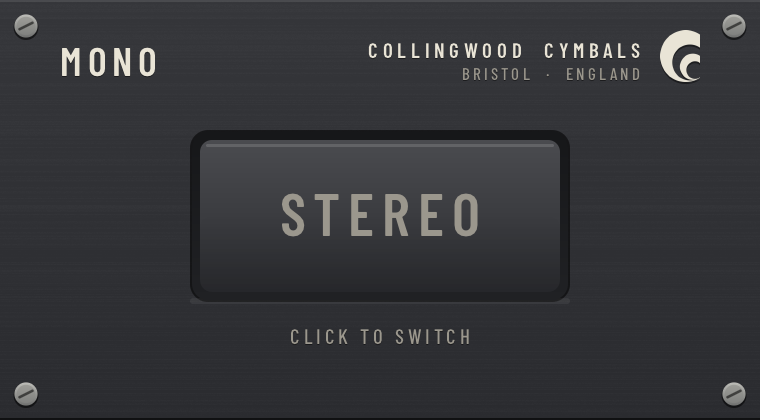
One big button: stereo or mono, nothing else.
Phones, laptops, club systems and Bluetooth speakers all fold your mix to mono sooner or later. Mono lets you hear that with one click, so you can catch anything that disappears.
Press it and both sides play the same signal. Press it again and your audio comes back untouched, bit for bit. Every switch fades over 10 ms, so it never clicks, even mid-playback or under automation.
For Reaper, Ableton Live, Cubase, Studio One, FL Studio, Bitwig and other VST3 hosts.
Download for WindowsAudio Unit for Logic Pro and GarageBand, plus a VST3 for other hosts. Signed and notarised by Apple.
Download for MacMono.vst3 folder into your VST3 folder. The usual one is C:\Program Files\Common Files\VST3~/Library/Audio/Plug-Ins/Components, then drag Mono.component in. For VST3 hosts, put Mono.vst3 in ~/Library/Audio/Plug-Ins/VST3.New ones are added here as they're ready. Join the mailing list to hear when they're out.
Join the mailing list Cymbal Samples